3PL WMS: What It Does, Features to Check and How to Test It
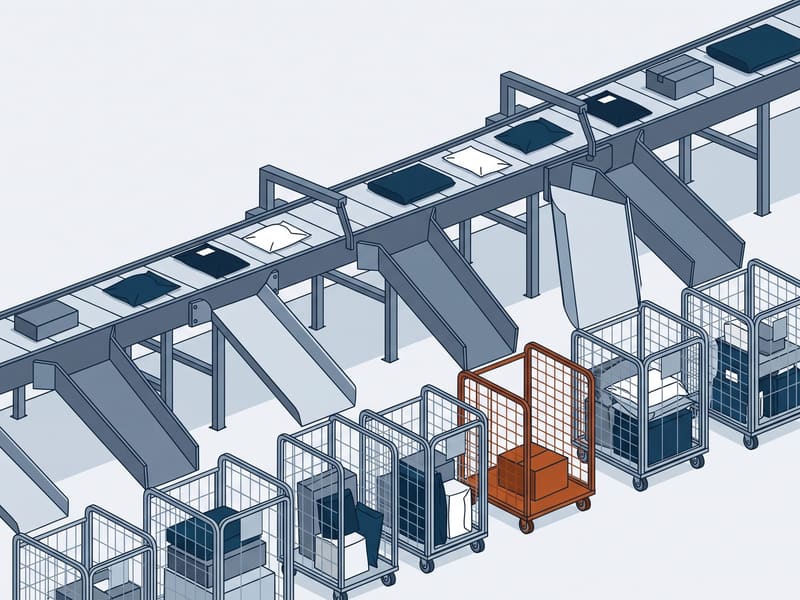
A 3PL WMS is the warehouse management system a third-party logistics provider uses to store, pick and ship inventory for many brands at once, keeping each client's stock, rules and invoices separate. It is also the system you deal with every day as a client. We cover how it differs from a standard WMS, the features that matter to a brand, the EDI messages it exchanges and the tests to run before you sign.
Quick summary
- A 3PL WMS keeps many brands' inventory in one building separate at every transaction, bills each brand from warehouse activity and gives each brand its own portal.
- For a brand, the features that matter are real-time inventory you can see, working integrations with your store and ERP, packing rules set per client, and invoices that trace back to activity.
- Brands on an ERP or selling to retailers usually connect by X12 EDI, where a 940 sends an order to the warehouse and a 945 confirms what shipped.
- Test the system with your own scenarios before you sign: a receipt with a shortage, an order cancelled after picking, a failed label and a login to the client portal.
- Walk away from a demo that never uses your workflows, billing kept in spreadsheets, or a portal whose stock figures differ from the warehouse floor.
What a 3PL WMS is
A warehouse management system tracks every unit in a building: where it was received, where it sits, which order took it and which parcel it left in. A 3PL WMS does the same for a building shared by many brands, so every record also carries an owner.
That one difference drives everything else. The system has to keep your stock apart from the brand whose product sits on the next shelf, pack your orders to your rules, bill you for your activity and nothing else, and show you your data without showing you anyone else’s.
As a client you rarely touch the warehouse screens. You see the 3PL WMS through three things: the portal where you check stock and orders, the integration that moves orders in and tracking out, and the invoice. Each one is only as good as the system behind it.
3PL WMS vs a standard WMS
| Area | Standard WMS | 3PL WMS |
|---|---|---|
| Inventory ownership | One company owns everything | Every unit tagged to a client |
| Rules | One set of packing and shipping rules | Rules set per client, per channel |
| Billing | Not needed | Invoices built from each client’s activity |
| Visibility | Internal users only | A portal for each client |
| Integrations | The company’s own ERP and store | Many clients’ stores, ERPs and EDI partners |
| Onboarding | Rare | New clients set up routinely |
The features that matter to a brand
Multi-client inventory control
The test of multi-client control is the same SKU code owned by two clients. A good system keeps them apart through receiving, putaway, picking, adjustments and reporting, so a count variance on one client’s stock never touches the other’s. Ask how the system handles it; the answer should be a design, not a workaround.
Receiving, ASNs and putaway
Receiving starts with the advance ship notice you or your supplier send: what is coming, in which cartons, in what quantities. The WMS checks each scan against it and records every shortage, overage and damaged carton as a discrepancy you can see. Directed putaway then sends each pallet or carton to a location chosen by size, weight and how fast the SKU sells.
The number that matters to you is dock-to-stock time: how long from the truck arriving to units available to sell. A WMS that records both timestamps can report it; one that does not leaves you guessing why stock is late.
Picking, packing and exceptions
| Picking method | How it works | Suits |
|---|---|---|
| Discrete | One picker, one order, start to finish | Low volume, large items |
| Batch | Items for several orders in one trip, sorted at packing | Many small DTC orders |
| Zone | Each picker owns an area; orders pass between zones | Large buildings, many SKUs |
| Wave | Groups of orders released at set times | High volume timed to carrier pickups |
At packing, the WMS applies your rules: box size by item, inserts, gift notes, fragile handling, a branded mailer for one channel and a plain carton for another. It should also handle exceptions without paper: an order cancelled after picking, a hold on a lot, a short pick that splits a shipment. Exceptions are where a weak system shows.
Shipping and carrier selection
The shipping module rates each parcel across the carriers and services the 3PL holds, picks the cheapest that meets your delivery promise, prints the label and sends tracking back to your store. Ask whether the rule set is yours to define, for example cheapest ground within 3 days, and whether you can see the rate chosen for each order.
Activity-based billing
A 3PL WMS records every billable event: a pallet received, a location occupied on the count day, an order picked, an insert added. Every fee on a 3PL rate card needs an activity like that behind it, and the invoice should be built from those records rather than from a spreadsheet someone keeps on the side.
Client portal and reporting
A client portal should let you find, without calling anyone: on-hand, allocated and available stock by SKU; open and shipped orders with tracking; inbound receipts with discrepancies; adjustments with reasons; and the billing detail behind each invoice. Reports should answer real questions, such as which orders missed today’s cutoff or which SKUs were adjusted this week.
Lot, expiry and Amazon-bound stock
Food, supplements and cosmetics need lot and expiry tracking at receipt, first-expired-first-out picking and a recall report that lists which customers received which lot. Serial number capture matters for electronics.
Amazon-bound stock adds another layer. FBA prep means labels, bags and carton labels applied per unit and per box, so the WMS has to know which units are prepped for Amazon and which remain available for DTC orders from the same inventory.
Integrations: apps, APIs and EDI
Most DTC brands connect through a ready-made app for their store platform or marketplace: orders flow into the WMS, and tracking numbers and inventory flow back. Brands with an ERP, and any brand selling to large retailers, usually add EDI. The X12 standard defines a set of warehouse messages for the brand-to-3PL leg.
| X12 set | Name | Usual direction | What it does |
|---|---|---|---|
| 940 | Warehouse Shipping Order | Brand to warehouse | Orders a shipment, or modifies or cancels one |
| 945 | Warehouse Shipping Advice | Warehouse to brand | Confirms a shipment and reconciles ordered with shipped quantities |
| 943 | Warehouse Stock Transfer Shipment Advice | Brand to warehouse | Announces inbound stock with product detail |
| 944 | Warehouse Stock Transfer Receipt Advice | Warehouse to brand | Confirms what was received |
| 846 | Inventory Inquiry/Advice | Warehouse to brand | Reports inventory levels |
| 947 | Warehouse Inventory Adjustment Advice | Warehouse to brand | Reports quantity or status changes |
| 856 | Ship Notice/Manifest | Shipper to retailer | Describes contents, packaging, marking and carrier of a shipment |
| 810 | Invoice | Brand to retailer | Bills the retailer for the order |
Whatever the method, ask what happens when a message fails. An order that does not import, a tracking number that does not post back or an inventory update that stops should raise an alert to a named person at the 3PL and to you.
How to test a 3PL’s WMS before you sign
A clean demo shows the happy path. Your business runs on the exceptions. Run these tests alongside the tour and reference calls you make while choosing a 3PL, and use the same script with every bidder so the results compare.
Red flags in a 3PL’s system
- The demo uses the vendor’s sample data and never your SKUs or order types.
- Billing is assembled in a spreadsheet at month end.
- Inventory is sent as a weekly file instead of shown live.
- Nobody can say which connector version you would run or who fixes it when it breaks.
- References from clients on the same integration are not available.
The four types of WMS
| Type | What it is | Common in 3PLs |
|---|---|---|
| Standalone | Installed on the operator’s own servers | Older and very large operations |
| Cloud or SaaS | Hosted by the vendor, paid by subscription | Most ecommerce 3PLs |
| Supply chain suite module | Part of a platform that also covers transport and planning | Large contract logistics providers |
| ERP module | The warehouse part of an ERP | Rare for multi-client use |
The deployment type matters less to a brand than whether the system does multi-client inventory, per-client rules and activity-based billing well. Those are what separate a 3PL WMS from warehouse software built for one company.
Frequently asked questions
What is a 3PL WMS?
A 3PL WMS is warehouse management software built for a logistics provider that stores and ships inventory for many client companies in the same building. It tracks every unit by owner, applies each client's rules, bills each client from recorded activity and gives each one a portal. A standard WMS assumes one company owns everything inside.
What are the four types of WMS?
The usual four are standalone systems installed on the company's own servers, cloud or SaaS systems, WMS modules inside a wider supply chain suite, and WMS modules inside an ERP. A 3PL WMS can be any of these; what defines it is multi-client inventory and billing. Most 3PL systems sold today are cloud-based.
What is the difference between a WMS and a 3PL WMS?
A standard WMS manages one company's inventory, while a 3PL WMS manages many owners' inventory side by side. The 3PL version adds owner-level stock separation, client-specific rules, activity-based billing per client and a client portal. Those four features are what a brand relies on when it outsources.
Can I see my inventory in my 3PL's system?
You should, through a client portal or an integration with your store or ERP. A good portal shows on-hand, allocated and available stock by SKU, open orders, tracking, inbound receipts and adjustments, updated as scans happen. If the 3PL sends inventory as a weekly spreadsheet, treat that as a warning sign.
Does a 3PL WMS integrate with Shopify or Amazon?
Most do, through ready-made connectors for the large store platforms and marketplaces. Orders flow into the WMS and tracking and inventory flow back. Ask how many live clients use the exact connector you need, and what happens when it fails.
Do 3PLs use EDI, and which documents?
Yes, especially for brands on an ERP and for retail orders. Between brand and warehouse the core X12 documents are the 940 shipping order and 945 shipping advice, with the 943, 944, 846 and 947 for inbound, receipts, inventory and adjustments. Retail orders add the 856 ship notice and 810 invoice to the retailer.
How long does it take to connect my store to a 3PL's WMS?
For a standard store connector, we plan on 1 to 3 weeks including a test with live orders. Custom API work takes longer, and EDI with an ERP or with each retail trading partner can take 4 to 8 weeks. Budget the test time, not only the build.
What is cycle counting?
Cycle counting is counting a small part of the inventory every day or week instead of shutting the building for a full annual count. Fast-moving and high-value SKUs are counted most often. A 3PL WMS schedules the counts, records variances and posts adjustments, which a client should see.
What is the difference between wave, zone and batch picking?
Batch picking pulls items for several orders in one trip and sorts them at packing. Zone picking assigns each picker an area of the building and passes orders between zones. Wave picking releases groups of orders at set times, usually timed to carrier pickups.